Friday, 3 July 2020

How to Collaborate on the Microsoft Whiteboard

Whiteboard is such a spectacular tool for collaborating with users. Most of the workers who are working remotely will really get the most from Whiteboard. The Microsoft Whiteboard is really a perfect virtual solution. The tool can be used by any user, and whoever has the Microsoft paid or free account can use it. It comes with the subscription of Microsoft 365. Using the Microsoft Whiteboard is fairly easy, although you can use it through a Whiteboard web app or client. If you are using Windows 10, you will have some better recommendations and features, so here’s how to collaborate on Microsoft Whiteboard.

How to Share a Board with Someone
  1. For sharing the Whiteboard with an individual user, just launch the Whiteboard client and tap the blue invitation icon for inviting someone.
  2. Now at the invite section, it will show to type the name of the user with whom you are willing to share, or simply choose the name of another user from “Suggested contact” list.
  3. Once you choose someone, they will be allowed to edit on board. Simply, that user can edit the written content on the board. Along with it, the invited user can also share it with any other user as well and also be allowed to rename the content.
  4. However, if you don’t want to provide these types of authority, you can tap on the “Pen” icon near the “Can Edit” option to change the authority into the “Read Only” option.
  5. Now, tap “Invite.”          
  6. Now the user with whom you have shared the Whiteboard will be given an invitation through email by link. So when the invited user clicks on the link, it will take the user to Whiteboard.
  7. Now the Whiteboard will show up the whiteboard app front page to access that.
  8. If you don’t want someone to share the board with anyone else, you need to move to the whiteboard client’s front page. Tap on the three dots near the board that you don’t want anyone to share, and tap on “Invite Participants” option.
  9. Tap on three dots on the side of the person you wish to stop sharing, tap on “Remove Participants.”
By following the procedure, the following person will no longer be able to access the whiteboard app. and the invitation link they previously received will not work anymore.
How to Share Board with Multiple Users
  1. To share the board with multiple people, you need to open the Whiteboard client and tap on the blue invite icon to invite more users into the board.
  2. In the invite section, click on three dots and choose the “Create sharing link” option.
  3. Tap on the “Web Sharing Link off” option.
  4. Now a unique link for sharing will be formed.
  5. Tap on the “Copy Link” to copy it on the clipboard.
Once the link is generated, you can send it to any organization or individual person. So when they click on the invited link, the board will launch. It will show the front page of the whiteboard app, so it
will be easy to access rather than returning to the board. However, if you toggle off the “web sharing link on” option, the existing link will be deleted. So whoever clicks on the already sent link will not be able to access the Whiteboard.
I’m Emma Justin . I’m a web developer living in USA. I am a fan of technology, entrepreneurship, and web development. I’m also interested in education and writing. You can visit my company website with a click on the button above.

How to Level Up in Rainbow Six Siege Battle Pass Fast

Rainbow Six Siege has secured their newly Battle Pass, with some great special rewards for ranked and unranked play. Ubisoft has tied the system pack of whole new challenges to win that will exclusively offer more than 50 rewards. Another thing about this rewards this that you need to put full effort on tasks, whether you have premium or free battle pass. This new Road to S.I. is going to be challenging and fun for players. Players will earn battle points, and along with it, there will be a chance of bonus earning as well. So now if you are willing to earn something bigger, you need to give a break to quick matches.

Play Ranked and Unranked Multiplayer Matches
Playing and completing the matches in Rainbow Six Siege will let you contribute into the battle pass rewards earning. The battle pass of Tour De Force will especially reward for the ranked and unranked play. The following playlists of matches with the competition rules are also favouring as offering a bonus of 25% from battle points. You will earn it with every battle point. So obviously you need to leave the quick matches for a while. 
Well, it seems so obvious, but the overall earning of a battle pass in Rainbow Six Siege cannot be restrained. Players have to play the battle regularly for rewards, and along with it, you need to keep your progression higher to win every match. 
When you finish any match in Rainbow Six Siege from the battle pass, you will earn 100 battle points from every match and your winning battle points will increase to 120. Every battle of the battle pass is special and important for earning rewards. In every round of the match you win 60 additional battle points, and these points will grant you to earn maximum earnings every day.
Complete Battle Pass Challenges
Ubisoft launches a big list of challenges with the battle pass that provide some additional battle points. These available challenges track reached milestones by the players, and once they reached the mark, they were rewarded with heavy 850 battle points. Some of the challenges don’t need any additional play style; they can be progressed while playing the natural game. So these types of challenges don’t get much spotlight by players.
In the battle pass of Tour De Force, there are a total of 4 different challenges. These challenges are certainly some activities for the players to do with multiplayer. Once the players reach the required criteria, they will be credited with battle points on their tier level. These challenges are here mentioned below:
Kills Through a Breakable Surface: Kill total 5 players through the breakable surface into multiplayer.
Damage Enemy: Construct 3000 damage on the enemies.
Suppressor Kills: Kill a total of 70 players by using a suppressed weapon.
Secondary Weapon Kills: Kill a total of 50 players by using the secondary weapons in the multiplayer.
Year 5 Pass Boosts Battle Points Earning
The Tour De Force also includes a primary premium membership of Rainbow Six Siege Year 5 Pass. It will unlock some great items along with bonuses. You will also get 5th Year’s six playable operators. You can consider it a VIP pass of all the previous 4 seasons. The further Year 5 pass profits will be extended into the battle pass with a discount of 30 percent for Premium track item purchases. It will also increase 30 percent in the earning battle points.
Fast Track the Battle Pass Tiers
Well, it is the least rewarding way into the experience of the battle pass because Ubisoft is allowing the players to skip between any tier 35 by using the R6 credits. Every level in the following requires a total credit of 180 R6 for fast track, but with Tear 5 pass it is slightly cheaper. If you are willing to skip the entire battle pass, you need to invest at least 6120 R6 credits.
I’m Emma Justin . I’m a web developer living in USA. I am a fan of technology, entrepreneurship, and web development. I’m also interested in education and writing. You can visit my company website with a click on the button above.
Thursday, 2 July 2020

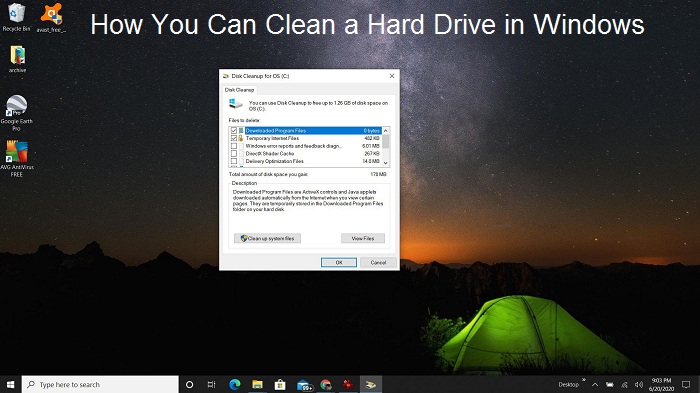
How You Can Clean a Hard Drive in Windows

If you have been using your Windows device for a longer time, then the hard drive in your computer may have filled up. When the Hard Drive fills up to its capacity, it starts impacting the performance of your computer. As a result, your device will slow down, impacting your productivity. So, to remove unnecessary files and folders, you will need to clean the Hard Drive.

Here is how you can clean the hard drive on your computer.
Use Disk Cleanup to Clean Your Hard Disk
The Utility Disk Cleanup has been introduced in Windows XP, and its functionality is enhanced with its latest versions. To clean hard drive with Disk Cleanup, you can follow the below-given steps:-
  • Click on the Start menu and then choose the application Disk Cleanup while typing it in the Start menu.
  • When the Disk Cleanup app is launched, it will show you all files and space after clearing made available to you.
  • Go to Files to Delete section and choose all required boxes. These boxes include temporary internet files, cache files, downloaded files, Recycle bin, etc. You can begin the process to clean up the files by clicking on Ok.
  • After cleaning all the files you have selected in the respective locations, the utility will be closed.
You Can Use Storage Sense and Storage Settings
If the users are using Windows 10 operating systems, they can access Storage Sense utility to clean the unnecessary files and folders. Here is how you can do it:-
  • Choose the Start tab while typing Settings and then click on it.
  • Choose System appearing in the Windows Settings section.
  • Turn to the menu appearing at the left and then choose Storage.
  • When you tap on Storage, it will show you the area you can clean up and how your device Storage is currently in use.
  • Further, you will find the areas taking up more space at the top of the Storage list. Once you have found the area taking up more space, start deleting the unnecessary files and folders.
  • You can check these areas, including Recycle Bin, Window upgrade log files, etc. in Temporary files.
  • While going to Temporary Files, choose the boxes appearing to its left side and click on Remove files.
  • Now, come to the Storage section and choose Configure Storage Sense or choose to run it now.
  • Set the toggle to On under the section Storage Sense.
  • To clean your hard drive automatically, choose the checkboxes appearing in the section Temporary files along with choosing frequency.
  • After completing the adjustments in the settings of  Storage Sense, move to choose Clean now and close the window.
  • Storage Sense will automatically clean your Downloads folder and Recycle Bin, so you don’t need to do it manually.
Some other Ways to Clean a Hard Disk
You can try some other ways also to clean the hard disk. So, clean the hard disk in these ways:-
Uninstalling Unnecessary Applications
  • After launching the Start tab, click on the Control Panel application.
  • After selecting the Programs & Features section,
  • Start selecting the oldest or unused installed apps by clicking on Installed On.
  • Then, Uninstall these unused files and folders by clicking on the option.
Check the Backups of cloud Storage are One-Way
Some services which give online Storage like Google Drive and OneDrive have applications for Windows, which sync with your folders on Windows, allowing them to store the Cloud content. Even though these online storage providing services require an Offline Storage system for saving files on the computer, you can disable them to save storage space.
OneDrive: Go to the Taskbar in windows through a right-click on the OneDrive cloud. After going to Taskbar, choose Settings and then click on the option appearing as Save space and download files as you use them.
Google Drive: You can visit the Settings of Google Drive and deselect the Offline section.
Free Up Hard Disk by copying entire Folders to an External Drive
You will need to select an external hard drive which should be of high quality. After selecting the external hard drive, plug the drive to Windows on your computer. To copy the folders, you will need to drag the entire folder into the external hard attached to Windows by holding down the Shift key. It will move the entire folder to an external hard drive freeing up a lot of space.
I’m Emma Justin . I’m a web developer living in USA. I am a fan of technology, entrepreneurship, and web development. I’m also interested in education and writing. You can visit my company website with a click on the button above.

Blackpink Sets the Most Youtube Views Record

Blackpink has dethroned BTS by taking the number one spot for setting the record to get the most views in one day on Youtube.
Blackpink is a group of Korean Pop singers who has now grabbed a record for the most views on YouTube in a day. With this, it has dethroned another Korean pop group, BTS. Blackpink has got views in huge numbers for its music video “How You Like That” uploaded on YouTube.

No one can deny the hold of Korean pop on various internet platforms. The fans of this pop group have been in the news for many days for various reasons. The extent of their hold on the internet can be understood with their many recent incidents regarding Black Lives Matter. However, groups like BTS are doing everything to remain popular among their fans, but their popularity is slowing down every day. BTS even tried to dominate the internet by partnering with Samsung to release a video promoting its new Samsung Galaxy S20+. But, it has not proved to be enough to help them to gain much popularity.
 Now, Blackpink has shattered the most Youtube views record of the video “Boy With Luv” uploaded by BTS. The Boy With Luv music video of BTS has earned the most views in a day on YouTube, which has now been clinched by “How You Like That.” The track of the song “How You Like That” is based on Korean pop song and is quite straightforward. Besides, the viewers can find modern hip-hop dance sequences in the song, which will undoubtedly become viral on other social media services. According to a report presented by The Next Web, the video “How You Like That” has got views about 82.4 million on its first day of release on YouTube. With these huge views, it has left Boy With Luv far behind in popularity with only 74.6 million views. Boy With Luv grabbed 74.6 million views in April in the year 2019.
Blackpink: Poised to Break More Records
The K-Pop group has broken the record many times in recent years and has owned YouTube. Blackpink has held a similar record for the song Kill this Love uploaded as the music video on YouTube. It has grabbed one million views; however, the new music video is approaching huge numbers regarding views on YouTube, which is 200 million. The music video has approached such huge numbers in only two and a half days.
With the release of the music video How You Like That, the pop group is now in a position to create even more records that are absurd too. The huge success of the music video has helped the official channel on YouTube of the pop group to expand its subscribers. A huge number of subscribers, about 2.3 million, have subscribed to the group’s pop music channel. It has extended the current subscribers base of the channel to about 39.6 million.
Moreover, it has pushed the Taylor Swift and Katy Perry channel at number six, which is just behind the music video released by Ariana Grande. Besides, the video YOUTUBE VS TIKTOK: THE END released by CarryMinati reached 10 million likes and made a record to become the fastest video to get such huge likes. While crossing this milestone in only three days, YG Entertainment, the record label of Blackpink, is working with Psy. The music video Gangnam Style released by the South Korean star became the first video on YouTube to get views of about 1 billion.
I’m Emma Justin . I’m a web developer living in USA. I am a fan of technology, entrepreneurship, and web development. I’m also interested in education and writing. You can visit my company website with a click on the button above.

5 Android Apps Every Web Designer Should Know About

Are you a web designer who is looking for ways to increase his productivity and save time? If your answer is yes, then you have come to the right place because today, we are going to share with you five android apps that will make your work easy and give your productivity a big boost. So, let’s have a look over these apps.

Color Grab (Price: Free)
Color Grab is a free to use app that allows you to pick, capture and recognize colors from anything like water, sunset, monitor screen, etc. by simply pointing your camera on the color and tapping on the screen to capture it instantly. The app supports almost all the major color models like RGB, Hex, HSV, HSL, etc. and can be used to generate color palettes, blend colors, tune and create colors and much more. Additionally, the app is very user friendly and allows you to export all colors to Adobe Photoshop, Illustrator, Excel, CSV, Paintshop, etc. You can also share your created or captured colors with your friends using the app. It is a must-have app for any web designer.
View Web Source (Price: Free)
View Web Source is an app that allows its users to view the source code of a webpage using their mobile phones. Using the app, you can inspect and download the source code of any webpage you want. The app also allows its users to select, search, and copy the entire code of an HTML element. Additionally, you can also save and share the entire code using the app. The app is very easy to use and can be very helpful for someone who wants to study the code of a particular website.
Adobe Photoshop Express (Price: Free)
Adobe Photoshop Express is one of the best photo editing and collage making apps in the market. The app has more than 100 million downloads on the Google Play Store and is used by millions of web designers, photographers, and photo editors all over the world. Using the app, you can create professional images in just a few minutes. Using the app, you can also fix crooked images, reduce color noise, apply blur, personalize images, create memes, create a collage, apply hundreds of effects and filters on your pictures, and much more. Besides this, you can also import and share your creatives directly to social media platforms like Facebook, Twitter, Instagram, WhatsApp, etc. from the app. The app is very easy to use and can fulfill all your photo editing needs.
WordPress (Price: Free)
WordPress for Android is a great app that puts the power of building websites and blogs right inside of your pockets. Using the app, you can easily build your website or blog and customize it using themes. Using the app, you can also create blog posts, edit content, get real-time stats of your website, and manage your followers. You can also set notifications for comments, likes, and new followers and respond to your follower’s comments directly from the app. Additionally, using the reader feature of the app, you can easily connect with a community of writers, explore thousands of topics by tags and follow the blogs that are relevant to you.
Google Analytics (Price: Free)
Google Analytics mobile app is one of the most popular web analytics apps in the market. The app has more than 5 million downloads on the Google Play Store. Using the app, you can monitor your website’s key metrics, compare data ranges and apply segments, monitor real-time data, build and save custom reports, and much more. The app is very easy to use and gives its users a great user experience. So, start using the app now and track your website’s real-time data by using your mobile.
Conclusion
These apps are some of the best apps in the market when it comes to increasing your productivity as a website designer. So, start using these apps now and give your productivity a boost.
I’m Emma Justin . I’m a web developer living in USA. I am a fan of technology, entrepreneurship, and web development. I’m also interested in education and writing. You can visit my company website with a click on the button above.

How to Locate the Deleted Videos on YouTube

YouTube deletes the content uploaded on it for a lot of reasons like copyright, harmful content, etc. For instance- you’re looking for a particular video, and you don’t find one on YouTube; there are ways to find the deleted videos that were once uploaded.
What are the reasons behind YouTube deleting a video?
There are various reasons due to which a YouTube video gets deleted, and some of them are listed below:
  1. Copyright
If you upload any content that is not owned by you, the creator of the content can file a claim and expel the video. In other cases, the owner lets other users use the video but collects all the advertisement revenue.
  • Inappropriate Content
Videos that are unfit to watch or break the guidelines of agreement can be removed from YouTube.
  • The owner removes the video
Sometimes, the owner or the creator of the video decides to take down the video from YouTube. There can be a lot of reasons behind this such as uploading an edited version, negative feedback, etc.
  • Choose to set videos as Private
The videos on YouTube can be set as public or private.
How to search the YouTube videos that are deleted?
There are three ways to find a YouTube video that is no longer available on YouTube.
  1. Use the Search tool
You may use Google to find videos that are deleted from YouTube. If you have the unique identifier from the URL of the video available, copy the same on the browser. Once you search for the same, the information regarding the video will appear.
Note: The unique identifier is the code added after ‘v=.’
  • Use Archive.org
Archive.org is a website that stores content from the Internet. You can search for anything and everything that got deleted from the Web. To access the content you’re trying to locate, paste the URL of the page, and it’ll land you to the content you’re looking for.
Note: All the videos do not appear as they were uploaded earlier on YouTube. Instead, it provides you with snapshots of the page. Also, if a video was immediately removed after uploading, Archive.org may not have any information at all regarding the content.
  • RecoverMy.Video
To be able to work with this tool, one needs to link the Google account. If you doubt that a video from your playlist has been removed, go to the ‘RecoverMy.Video’ and click on the ‘Recover Now’ option. The tool will provide you with the videos that got removed.
I’m Emma Justin . I’m a web developer living in USA. I am a fan of technology, entrepreneurship, and web development. I’m also interested in education and writing. You can visit my company website with a click on the button above.

Wednesday, 1 July 2020

4 best web designing software

Far gone are the days when you had to hire a professional website designer and developer for creating a website. Nowadays, there are many web designing software in the market that allows users to create professional-looking websites even if they have limited or no knowledge about programming. So, today we are going to share with you some of the best web designing software in the market that you can use to create a professional-looking website in a few minutes without the help of a professional website designer or developer.
Adobe Dreamweaver (Price: $31.49 a month)
Adobe Dreamweaver is a web design software that allows its users to quickly create and publish responsive web pages even if the user does not have lots of knowledge about programming, HTML, CSS, and JavaScript.  The software comes with a simplified coding engine which not only allows its users to create, write and manage his website code but also gives them hints to learn and edit HTML and CSS quickly, and speeds up the website’s development process. The software is very easy to use and comes with many great features like:
  • Live View editing.
  • Multi-monitor support.
  • CEF (chromium Embedded Framework) support.
  • Streamlined and clutter-free interface.
  • Git support, etc.
WordPress (Price: Free/Paid)
WordPress is a content management system that allows you to quickly design and set up your website in a few minutes without you requiring any programming knowledge. To get started, all you have to do is go to the WordPress website and click on the ‘start your website’ button and enter your domain and select your hosting plan, and you are done. Once the website is installed on the server, you can easily manage, edit, and design your website using WordPress design templates from your control panel. Additionally, you can add plugins to your website that enhances the functionality of your website. The software is very easy to use and can create an amazing website in just 5 minutes.
Weebly (Price: Free and Paid)
Weebly is another content management system like WordPress that allows its user to create a professional-looking and responsive website with its drag and drop tools. You can also create online stores using Weebly. Once the website is installed on the server, you can customize your websites using themes. Additionally, it comes with integrated SEO and analytics features that allow you to track and improve your website user -experience and SEO ranking. The platform provides its users free hosting with free SSL certificates and 500 MB storage. However, if that does not satisfy your needs, you have to upgrade to Weebly’s paid plans.
Wix (Price: Free and Paid)
Wix is a quick and easy to use website builder. Using the Wix website builder, you can easily create and design a free professional website using its drag and drop tools. You don’t have to be a programming expert to use Wix. Once your website set up is completed, you can use
templates to change your website’s feel and look or customize your website depending upon your needs. Wix provides free web hosting, premium support, and integrated Google analytics to its user, but the free plan does not offer lots of features. So, you might have to upgrade to its paid plans depending upon your requirements.
I’m Emma Justin . I’m a web developer living in USA. I am a fan of technology, entrepreneurship, and web development. I’m also interested in education and writing. You can visit my company website with a click on the button above.
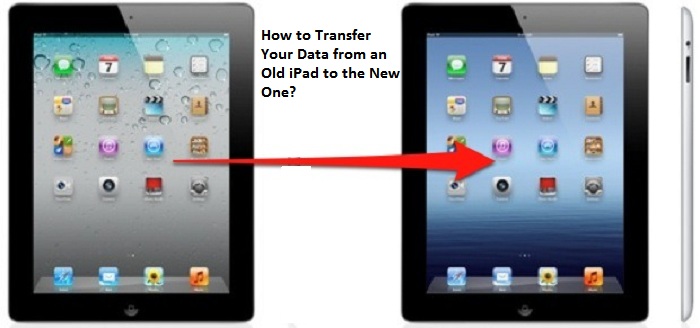
How to Transfer Your Data from an Old iPad to the New One?

  If you have recently purchased a new iPad running on iPadOS 14 and want to transfer all your data and old memories from your previous iPad...