Showing posts with label Instagram. Show all posts

Tuesday, 13 October 2020

Instagram Celebrates Ten Years by Rolling Out Its Classic Icons

 Here’s big news for all the Instagram users who’ve been longing to change the app’s icon to its classic look. A lot of users might not be aware, but now you can change the Instagram logo on your Apple or Android devices.

Instagram is ten years down and to celebrate the same, the app is rolling out a hidden way to change its logo. Feeling old enough? The app is looking back at its achievements and transitions. Not only this, but the popular photo-sharing app has found a way to celebrate with its users. Before looking for the ways to change the logo, make sure you have updated the application to its latest version.

What’s more, Instagram is offering you a total of thirteen classic icons you can choose from and customize your home screen. A few icons are simply a tribute to the pre-launched icons; however, others follow a modern design. Isn’t that cool?

Let us now talk about changing your Instagram logo to the old classic and popular icon. As mentioned above, you must update your Instagram before doing the same. For all the Android and Tablet users, look for the update in the Play Store. While, for iOS users, you can update the application via the App Store.

Once the app gets updated, launch the same and go to the profile page. You’ll see a hamburger menu on the top-right corner of the screen. Tap on the same and select the ‘Settings’ option in the next menu. Drag down the screen and you’ll see three emojis lined up on the top of the screen while you drag. Drag a little more and Instagram will greet you with confetti, which will further take you to the options to change the app logo.

If you’re an iPhone user, the icon you select will become the default logo. However, for Android users, you’ll be prompted with an approval menu. Select the ‘Yes’ option for confirmation.

Instagram’s tenth anniversary brought along an update a lot of people have been asking for for since long. The thirteen iconic logos include the Classic logo, Classic 2 logo, Original logo, Code name logo, Sunrise logo, Twilight logo, Aurora logo, Pride logo, Dark logo, Gold logo, Double Dark logo, and the current logo.

What are you waiting for? Update the application now and customize the look to make your home screen look classic.

Hi, I’m Kinsley. I’m a web developer living in Pontiac, USA. I am a fan of web development, programming, and entrepreneurship. I’m also interested in innovation. You can read my blog with a click on the button above. maxxadvisor.com

Source: Instagram Celebrates by Rolling Classic Icons

Monday, 1 June 2020

5 Best Video Editing Apps for Instagram in 2020

Nowadays, Instagram has become so popular that it has overtaken all other social networking platforms. It is taking the world by storm as people use Instagram more than other social networking sites. Not only casually, but people started using Instagram for their business purposes as well. It has over a million users now. It has enabled all the brands and businesses to reach out to many of their clients and customers simply by uploading a picture showing their work. Using Instagram is so simple that anyone can upload an image and add text to their picture. Most people love using this application because it looks attractive. There are a lot of amazing features that Instagram provides its users which makes it more incredible than all other applications. It includes video editing features, GIFs, IGTV videos, and many more.

Here, in the following article, we will share with you some of our favorite video editing apps through which you can edit your videos and make it more lively and attractive in your Instagram community.

TOP VIDEO EDITOR APPS FOR INSTAGRAM

Horizon
Horizon is a simplified and foolproof video editing application that allows its users to convert vertical videos on their screen to display in horizontal videos. Many users of the Instagram application, in a rush, record their videos of life events and other cool things in a vertical manner. Well, it may be fine for some people. But, others highly prefer to record their video in a proper horizontal manner. And this Horizon video editing application does exactly that for its users. Along with this, this application enables its users to record 2k horizontal videos, offers eight wonderful filters, and 60 or 120 fps slow motion support. This smartphone video editing app is available for both iOS and Android devices users. It comes with many additional features for the users of the iOS version.
Boomerang
Boomerang is another video editing application available to Android and iOS devices users. It’s a free app and is used by a lot of people. It has become quite famous among its users. Boomerang allows its users to make their own videos and GIFs engaging their own content into it. Users can create their videos using their images and Boomerang allows the users to make quick high-quality loop videos. Now, Boomerang comes with Instagram itself, but you can use this amazing video editing application as a separate editing app for other platforms.
Quik By GoPro
The Quik video editing application is created by GoPro for the users of Android and iOS devices. The main feature that highlights this app is how easy-to-use it is and you can create quick stunning videos with its amazing effects and music from your picture and music library. This application offers a variety of themes with transitions and graphics for any occasion to its Android and iOS device users. This application enables you to customize your videos and you can pick your own soundtrack.
Anchor Video Maker
Anchor is one of the best video editing applications for Instagram. This application enables its users to record the audio, trim their clips that they want to share on Instagram. This amazing application allows its users to transform their audio clips into animated videos. This application is designed for users of Android and iOS devices. This is a must-have app for users who love to make fun videos.
Foodie
Foodie application takes your Instagram food pictures to the next level. This video editing application is specially designed for the people who seem dissatisfied with the quality of their food pictures. This application will enable its users to take better pictures of their food. Because what else is food for if you are not taking a perfect picture of your food to post it. This is more of a food-centric app, and this application enables users to create videos for duration of up to 60 seconds in length.
So, these are some of the great video editing applications by which you can make your videos and pictures a lot better. All these applications are essential for the people who love to capture their every moment and want to share them with their friends. Go now and check out these wonderful video editing applications on the Google Play Store or App Store.

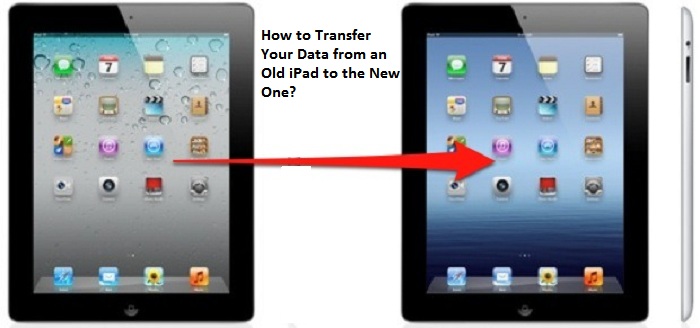
How to Transfer Your Data from an Old iPad to the New One?

  If you have recently purchased a new iPad running on iPadOS 14 and want to transfer all your data and old memories from your previous iPad...