Showing posts with label Social Media. Show all posts

Saturday, 11 July 2020

5 Creative Ways to Use Social Media Data as a Source for Your Content

Nobody can create influential, persuasive, and illuminating content without consulting the data. It is the data that makes your content campaign noteworthy and link-worthy. However, finding creative sources for the data on which your content will be based, can be difficult. However, some data can’t be provided in any survey or data set. Such types of data can be obtained from scraping the information publicly available on social media.

There are some unique kinds of data that only social media platforms can provide. If you carefully scrape social media platforms you can obtain vast information and that too from actual people, in just a few minutes.
Here we will tell you about 5 social media scrapes that received top class publisher press.
What Is Social Media Data Scraping?
In Social media data scraping, one uses third-party software that can automatically squeeze the required data from any social media like Twitter, Facebook, etc. The software then converts the data into a proper excel sheet form, from which you can easily analyze the data. Some common study and analysis include sentiment analysis, and analysis of volume as well as the frequency of specific words or symbols.
How to Use Social Media Data as a Source for Your Content
1. Scroll through Instagram to Come Up With Fun Content Ideas
Let’s look at the first example which is a content campaign on Instagram, named #SexiestLocations. This was very simple in execution. The research team gathered around 4 million Instagram posts that had the hashtag #sexy. After that, they sorted out the posts that comprised a geolocation tag. Analyzing this, they easily find out the sexiest countries of the world and the States of the US.
2. Explore Twitter to Learn More About A Compelling Subject.
The second example is about a new campaign based on college drinking habits. In this campaign, the team analyzed the Tweets from Twitter. They gathered tweets from a 1.5-mile radius of the middle of an area of colleges and universities that had keywords like ‘drunk’, ‘drinking’, or ‘alcohol’, and other such words. Universities of America always try to avoid being among the top ‘party schools’ in the country. This campaign looks at this notion more realistically and differently. The project talks about the ongoing problem of hazardous levels of drinking in college students of America. The campaign used geo-bait and specifically targeted digital PR outreach, and was covered by Huffington Post, and Adweek.
3. Leverage Niche Social Platforms, Like Yelp.
Not just Facebook, Instagram, and Twitter, other such not so famous social media platforms can also provide you unique data that others can’t. One example is the content that utilizes the famous restaurant review platform Yelp to get information on the dining choices of Americans. The team used Yelp’s Fusion API, to study the characteristics of about 120,000 restaurants in the U.S.
4. Analyze Tweets for Advanced Textual Insights
You can use Twitter scraping along with external researches as well. Let’s take the example of the ‘Most Powerful Women’ campaign. The campaign used IBM Watson Personality Insights which is a free online tool with which you can analyze text and determine character traits. You can use this tool to analyze texts, speeches, etc. The research finds out the sameness and variations among the world’s 100 most powerful women. The project was even covered by Bravo.
5. Conduct a Survey for More Actionable Insights.
The last example is of #AdAnalysis. It is an Instagram campaign that used Instagram scrape and also conducted a survey of 1,000 Americans to get interesting information about Instagram’s influencer marketing. There were two questions in front of the researchers. The first was about the kinds of photos that are famous for advertising, and the next was about what kind of demographics react most positively to promoted posts. Data scraping was used to answer the first one, and the second, with the survey. Researchers used two methods to get more valuable and actionable insights. The campaign was covered by Adweek, eMarketer, and many other platforms.
Hey there, I’m Oliviya . I’m a web developer living in USA. I am a fan of photography, technology, and design. I’m also interested in arts and web development. You can view my listings with a click on the button above.

Wednesday, 24 June 2020

5 Best Social Media Management Apps to Use in 2020

Were you looking for the best social media management tools? If yes, then you have come to the right place. In this article, we are about to show you the best social media handling tools of 2020. So what’s the wait? Let’s dive deep in the ocean of social media marketing.
  1. Hootsuite
It is one of the most potent social media management tools in the whole world. Stuffed with a plethora of advanced professional features, Hootsuite ensures that you get a one-stop-solution for all popular social media channels.
This program allows you to closely keep an eye on several social media networks at once as well as post content to these networks within a single place. Its compatibility with Linkedin, Twitter, and other channels, along with the custom analytics algorithm, surpasses any other third-party social media management programs a mile.
You can monitor specific phrases and keywords on social media with the help of its research capabilities. Besides that, you can schedule the posts on various social platforms as per your social media marketing strategies. This will save your time and effort that you spend on posting content on social media sites independently.
The tool is obviously premium and comes with several different plans for the marketers. It is indeed the best premium social media tool in the world so far. 
  • Buffer
Want to get a free social media management tool that offers basic administrational features? If yes, then Buffer is for you. It also comes in the paid versions, but the free version is also capable of providing you basic controls over your social media networks in one place.
It helps create a perfect schedule for posting optimized content for your target audience on your targeted social sites. You can schedule posts for various social media networks using this tool so that everything you post has accurate timing in a day. It is compatible with Instagram, Facebook, Linkedin, Google+, and Pinterest, which means you can control your basic social media channels by using it.
Even if you manage a few more social sites that are currently not supported by Buffer, you can manage them independently without any problem.
The tool has a basic and easy to understand user interface so that even beginners can access it without messing up around the various controls. 
By upgrading the plan, you can unlock many other advanced features and functionalities of the tool. Also, you can add many more social media accounts on this tool when you upgrade it via the paid plans. Thankfully, the free version of this tool doesn’t suck like other low-quality social media tools and works just fine.
  • TweetDeck
Another third-party social media management tool is very popular among skilled and experienced marketers. Many experts suggest this tool to improve your overall performance in social media optimization.
The main highlight about this tool is that it was initially intended for optimizing all major social sites, but later the company decided to make it an exclusive managing tool for Twitter only. That means, now it only supports Twitter. Another best fact about these impressive tools is that it is absolutely free to use. You can supervise various Twitter profiles with the help of this program.
You will be able to perform certain remarkable things with it, such as following particular hashtags with dozens of accounts, respond to tons of user queries at once, and watch accurately live tweets on Twitter. Isn’t that exceptional?
So what are you waiting for? Sign up now on TweetDeck to claim your free account.  
  • SocialOomph
Despite the fact it doesn’t have an app for smartphones, you can oversee all social media accounts here from popular networks like Twitter to less known channels such as Tumblr and RSS feeds. You have to upgrade the software to access the accounts of all social media platforms; otherwise, you will be able to add only Twitter accounts with the free version.
When it comes to talking about the features of this tool, you get everything that you could think of is keyword or phrase tracking, tweets scheduling, profile promotion, URL shortener, purging the direct messages inbox, making countless social media profiles, etc.
In short, this tool is a powerhouse when compared with other average level social media tools. These features are just the introduction of this extraordinarily capable tool.
This tool also allows users to create a free account and access some limited features, which is also a p[retty much beneficial deal. However, you might get a glimpse of the pro version after trying out the free version. The plans are available in two weeks premium subscription instead of a monthly subscription, which is also a strange fact about it.
  • SpreadFast
SpreadFast is a perfect social media management application for those who wish to get calculating analytics. You can use it for research and audit for all your social media channels and know how well your strategies are going. You can get the metrics about how many people you are reaching with your current efforts on all social networks.
It is also a great solution to know whether your marketing strategy is enough to engage and nurture your targeted audience, or you need to make some alterations to your current approach.
You get every data and metric in the form of graphs to easily understand and compare it with various channels. This tool could be a perfect companion for the large companies and marketing teams that want to research their social media campaigns thoroughly. However, it is also apt for beginners such as bloggers and independent influencers at the same time.
I’m Emma Justin . I’m a web developer living in USA. I am a fan of technology, entrepreneurship, and web development. I’m also interested in education and writing. You can visit my company website with a click on the button above.

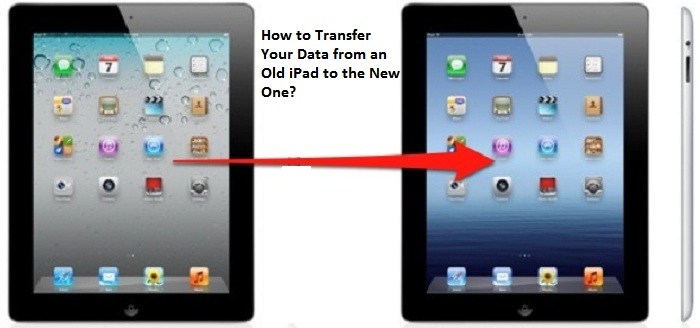
How to Transfer Your Data from an Old iPad to the New One?

  If you have recently purchased a new iPad running on iPadOS 14 and want to transfer all your data and old memories from your previous iPad...